





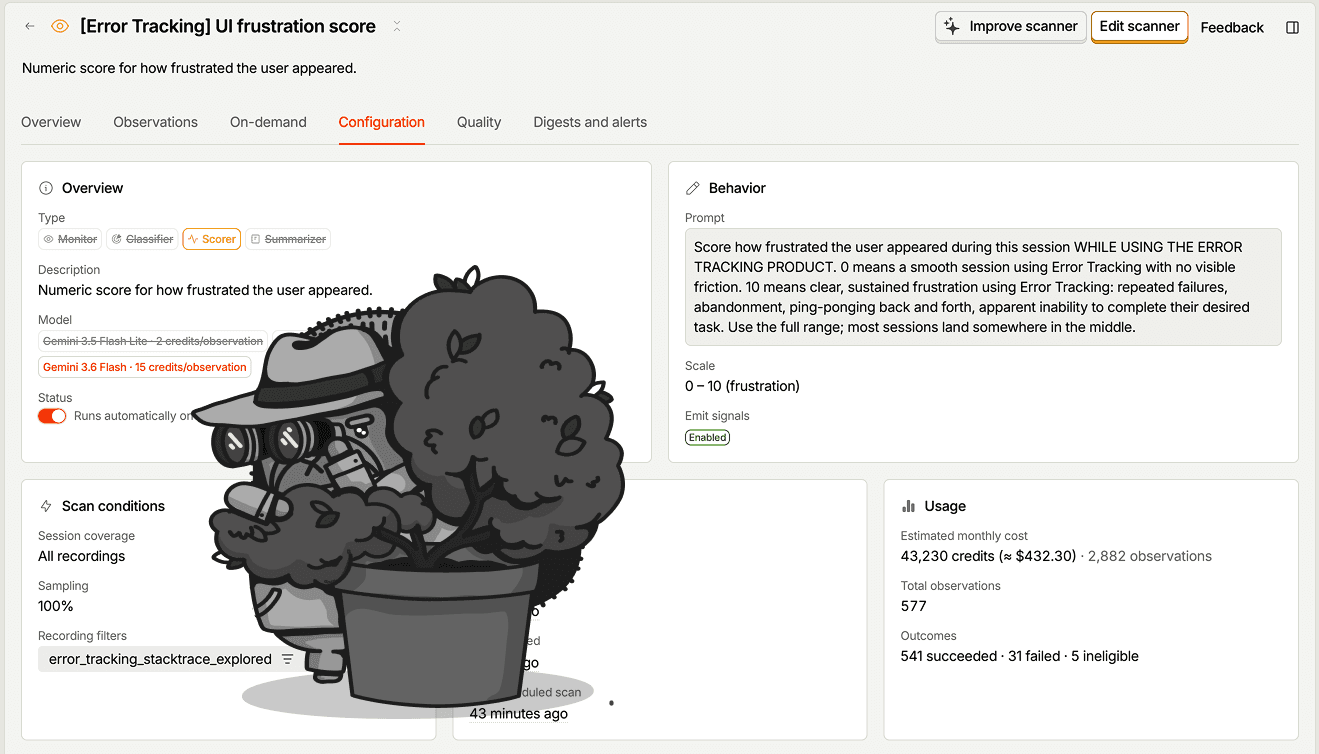
Your product, watching itself
Install with AI in a single prompt
Paste into your terminal or code editor and make AI do the work.
What does it do?
Replay Vision watches your session recordings for you. Describe what to look for once, and a scanner reads every matching session, video and events, and turns what it sees into structured observations you can query, chart, and alert on.
Who is it for?

How do I use it?
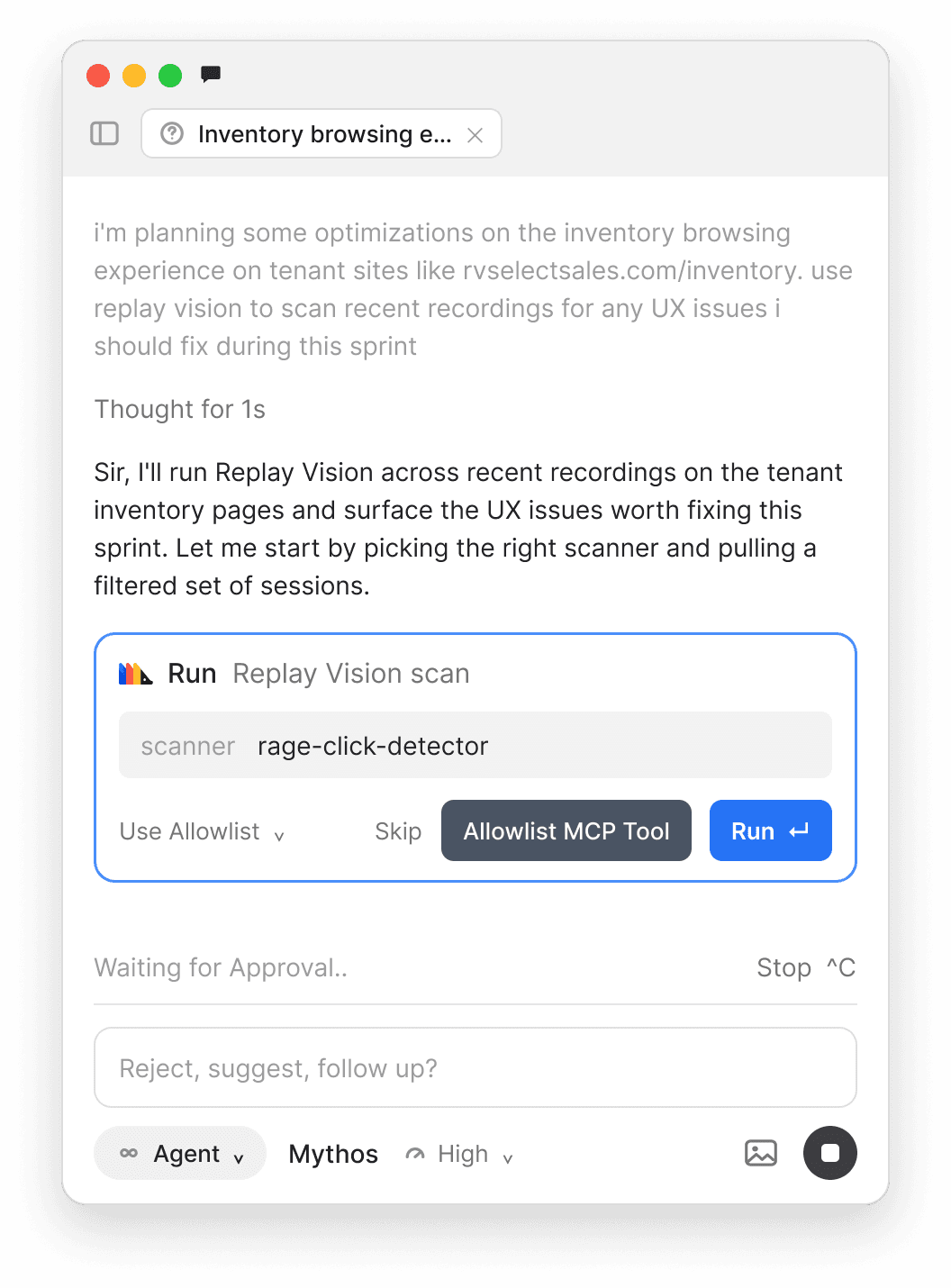
Author, run, and read scanners without leaving your editor
Your AI coding agent can call Replay Vision directly through the PostHog MCP – in Cursor, Claude Code, Codex, VS Code, or any MCP client.
Top features
What it looks for
Replay Vision runs scanners – AI probes you configure and point at your sessions. Pick a type, describe what to look for, and it produces structured output on each session it scans. Start from a built-in template or from scratch.
Create from scratch
Build a fully custom scanner – pick a type and write your own prompt and config.
Dead ends (Monitor)
Catch the moment someone hits a wall: scrolling, hovering with no CTA, then rage-quitting.
Session summary (Summarizer)
The TL;DR of the session, so you don't sit through 14 minutes of someone scrolling.
User intent (Classifier)
Classify the session by what the user appeared to be trying to do.
Frustration score (Scorer)
Rate how much friction a page caused, on a scale you define.
Session outcome (Classifier)
Tag what actually happened – task completed, abandoned, errored, and so on.
Every observation comes with a confidence score and citations that link straight to the exact moment in the recording, so you can verify it in one click.
AI prompts
Ask your AI agent to author scanners, scan a session, or read what Replay Vision found – without leaving your editor. Works in any MCP client via the PostHog MCP: Cursor, Claude Code, Codex, VS Code, and more.
Create a scannervision-scanners-create
- “Create a Replay Vision scanner that flags sessions where users get stuck on the /checkout page, narrow to enterprise customers, and start at 25% sampling. Estimate the cost first.”
- “Set up a summarizer scanner for my onboarding flow.”
- “Make a scanner that scores how frustrated users are on the /pricing page.”
Size it before you commitvision-scanners-estimate-create · vision-quota-retrieve
- “Estimate how many observations that scanner would produce this month before creating it.”
- “How much Replay Vision quota do we have left this month?”
Scan a session on demandvision-scanners-scan-session
- “Scan session abc123 with the 'Dead-end pages' scanner and tell me what it found, including the reasoning.”
Read observationsvision-observations-list · vision-scanners-observations-list
- “Find every Replay Vision observation for session abc123 and give me a one-line summary of each.”
- “List the last 20 observations from my 'Frustration score' scanner and summarize what's driving high scores.”
Tune a scannervision-scanners-list · vision-scanners-update
- “List all my scanners and show me the config for the frustration one.”
- “Bump the 'Dead-end pages' scanner to 50% sampling.”
Works with other PostHog tools
Use Replay Vision with these other PostHog apps to get more out of every session.
Session Replay
The recordings your scanners watch; point Replay Vision at any set of sessions you're already capturing.
Product Analytics
Every observation lands as a
$recording_observedevent, so you can trend and break down what scanners find like any other insight.Dashboards & Alerts
Put frustration scores or dead-end counts on a dashboard, and get alerted when a scanner's output crosses a threshold.
Questions?
Answers
There are a few ways you can get answers to specific questions about Replay Vision.
- Check the docs
We have an entire
Wizard & Docs TeamWizard & Docs Team dedicated to docs gardening. - Search the community forums
There's a good chance your answer is already answered!
- Ask PostHog AI
It's an incredibly useful AI chat that understands the product, docs, community questions, our codebase, GitHub issues, and industry knowledge.
- Talk to a human
Dedicated humans are standing by and ready to assist. Best for questions about volume pricing, terms, and sexy legal stuff.


Install
No matter how you build, we've probably got a way to install it.
Web frameworks
Popular



All




















Get started – free
No credit card required. You get the first 2,500 credits free every month, then pricing starts at $0.01/credit and reduces with volume.